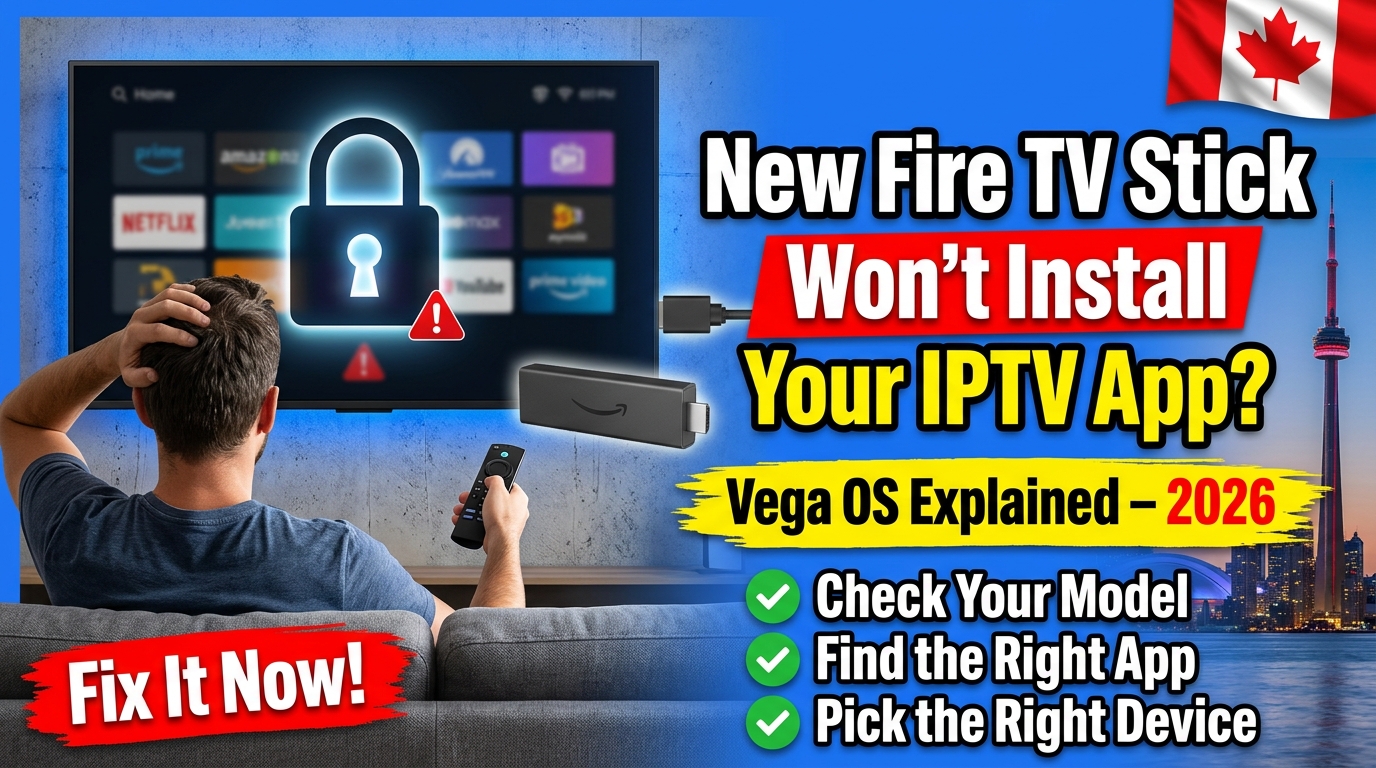
If your new Fire TV Stick can’t install your IPTV player, it probably runs Vega OS. The Fire TV Stick 4K Select, Fire TV Stick HD (2026) and the new Fire TV Stick 4K (2026) only install Amazon Appstore apps and can’t run Android APK files. Check your model, then use an Appstore player or another device.
By [EDITOR: author name], [role] at VIPTV Server · Published November 7, 2026 · Last reviewed: November 7, 2026
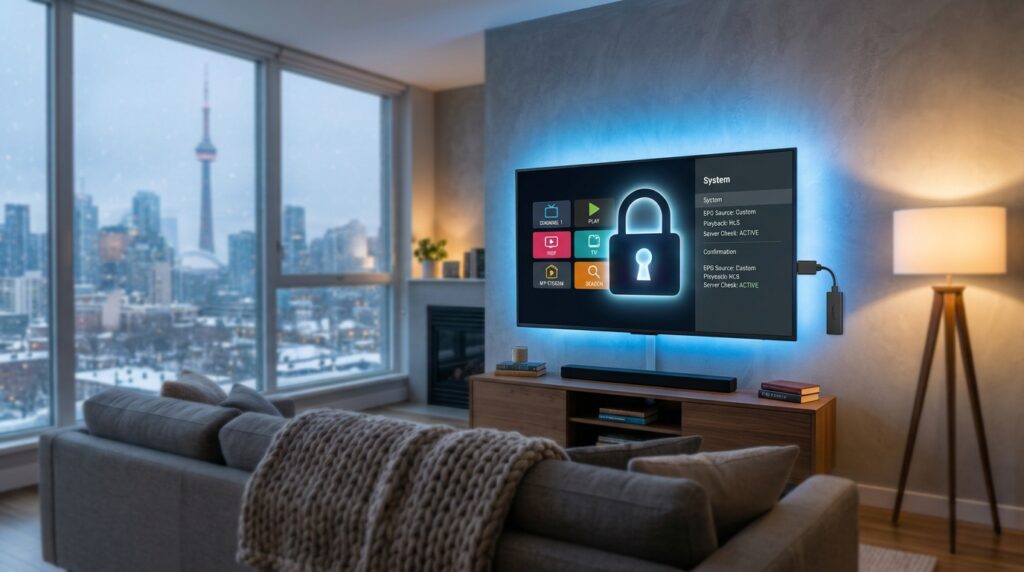
You unbox a new Fire TV Stick, open Settings to install your usual IPTV player, and the option is simply not there. Nothing is broken. Amazon changed the operating system on its newest sticks, and that change decides which apps you can use. This guide explains which models are affected, how to check yours in one minute, and what to do next.
VIPTV Server is an independent IPTV service provider and is not affiliated with Amazon. This guide covers device compatibility only. For first-time setup on a supported device, see our IPTV installation guide.
Why won’t my new Fire TV Stick install my IPTV app?
Because the newest Fire TV Sticks no longer run Android. Since October 2025, Amazon has been moving its sticks from Fire OS, which is based on Android, to Vega OS, its own Linux-based system. Vega OS only installs apps published in the Amazon Appstore.
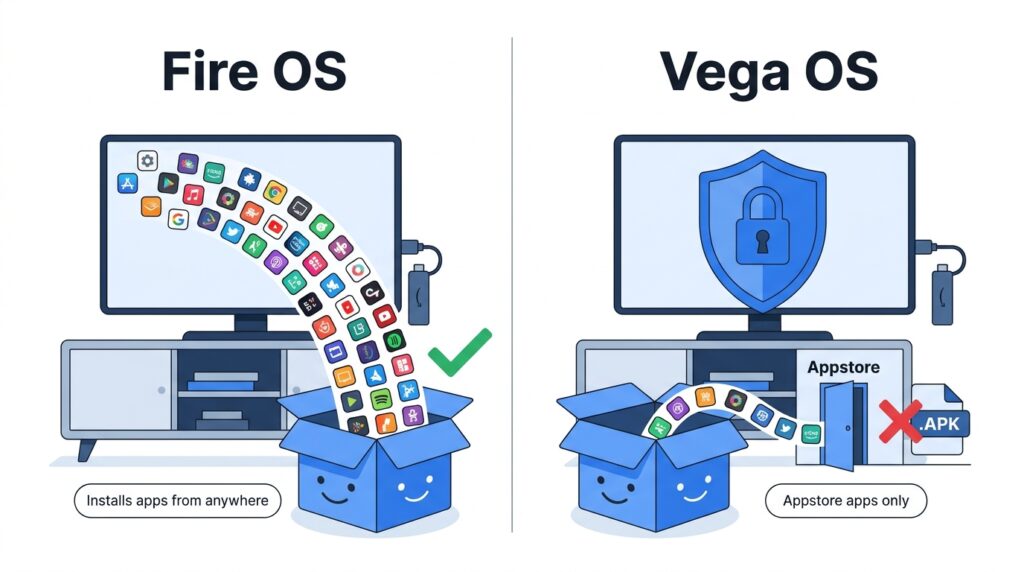
Three facts explain the change:
- Android apps don’t run on Vega OS. Vega apps use a .vpkg package, so any .apk file you used on an older Fire TV cannot be installed or opened (AFTVnews).
- The product page says so. The Fire TV Stick HD (2026) listing states that the device prevents sideloading or installing apps from unknown sources “for enhanced security” (Android Authority, April 2026).
- The app catalogue is smaller. Around 3,000 apps were listed for Vega OS devices in April 2026, compared with about 40,000 for Android-based Fire TV Sticks (Cord Busters, April 2026).
Rule of thumb: if your IPTV player is in the Amazon Appstore on that device, it works. If it isn’t, no setting on a Vega OS stick will make it install.
Which Fire TV Sticks run Vega OS, and which still run Fire OS?
Three sticks run Vega OS as of November 2026: the Fire TV Stick 4K Select, the Fire TV Stick HD (2026) and the third-generation Fire TV Stick 4K (2026). Amazon’s own Fire TV developer page states that, starting with the Fire TV Stick 4K Select, all future Fire TV Sticks will run on Vega. The Fire TV Stick 4K Max is now the last Android-based stick in Amazon’s lineup (AFTVnews, September 30, 2026).
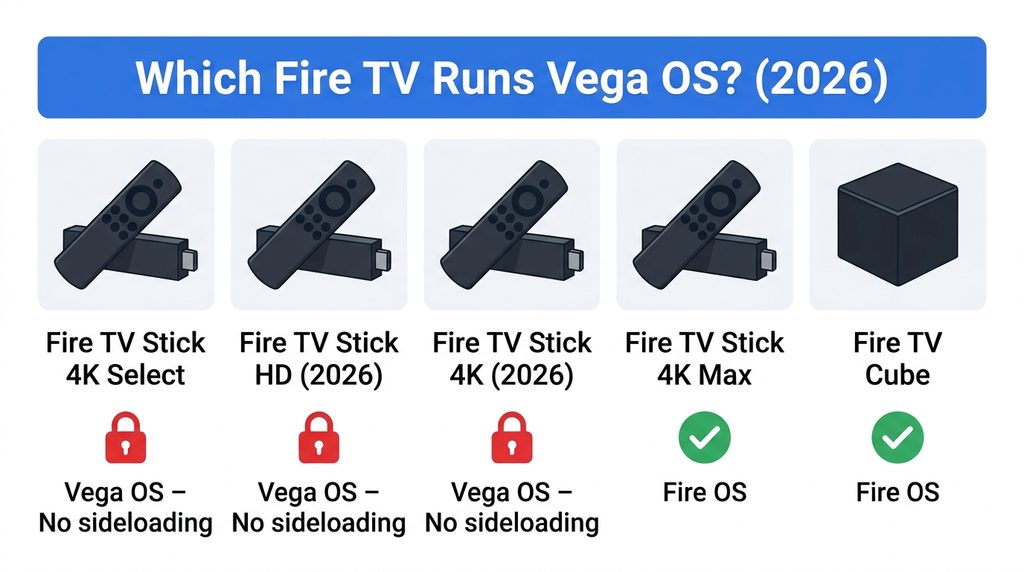
| Device | Release | Operating system | Installs apps outside the Appstore? | How to recognise it |
|---|---|---|---|---|
| Fire TV Stick 4K Select | Oct 15, 2025 | Vega OS | No | “Select” in the name, 1 GB RAM, Wi-Fi 5 |
| Fire TV Stick HD (2026, “newest model”) | Apr 30, 2026 | Vega OS | No | USB-C power port, Wi-Fi 6 |
| Fire TV Stick 4K (3rd gen, 2026) | Sep 30, 2026 | Vega OS | No | Thinner stick, new remote, short USB cable, no Dolby Vision |
| Fire TV Stick 4K Max | 2023 | Fire OS | Yes, through Developer Options | Last Android-based stick still sold |
| Fire TV Stick 4K Plus (renamed 2nd-gen 4K) | 2023 | Fire OS | Yes, through Developer Options | Discontinued; sold while stock lasts |
| Fire TV Cube (3rd gen) | Oct 2022 | Fire OS | Yes, through Developer Options | Cube shape, built-in Ethernet port |
Sources: AFTVnews (4K Select), Advanced Television (HD 2026), AFTVnews (4K 2026, 4K Plus, 4K Max), Amazon Developer: Fire TV Cube specifications. In Canada, the new Fire TV Stick 4K launched on September 30, 2026 at $79.99 CAD, with a limited-time price of $39.99 CAD (iPhone in Canada). Prices change often; check amazon.ca for the current CAD price. Last checked November 7, 2026.
Fire TV smart TVs (Insignia, Toshiba, Amazon Omni and others) are not covered here: some recent models still run Android-based Fire OS (Liliputing), so check the specific model before you rely on sideloading.
Watch out for the names. “Fire TV Stick HD” and “Fire TV Stick 4K” both used to be Android-based sticks. The 2026 models with the same names run Vega OS. Look for “(2026)”, “newest model” or “3rd generation” on the box or listing.
How do I check if my Fire TV runs Vega OS or Fire OS?
It takes about one minute, either on the device or before you buy.
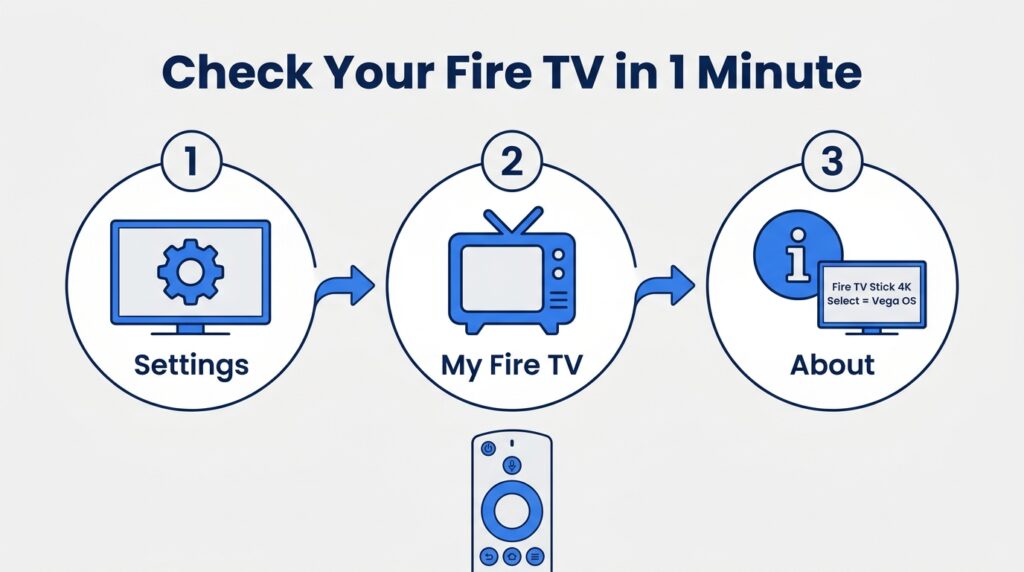
On a Fire TV you already own
- Go to Settings > My Fire TV > About and read the device name.
- If it says Fire TV Stick 4K Select, Fire TV Stick HD (2026) or the 3rd-generation Fire TV Stick 4K (2026), it runs Vega OS.
- On a Fire OS device, Settings > My Fire TV > Developer Options shows an option to install apps from unknown sources. On Vega OS that option does not exist.
Before you buy
- Read the product page on amazon.ca for the sentence about the device preventing sideloading or apps from unknown sources. If it’s there, it’s Vega OS.
- Check the release year: every Fire TV Stick released since October 2025 runs Vega OS.
- If you need an Android-based stick, look for the Fire TV Stick 4K Max, or a Fire TV Stick 4K Plus while stock lasts.
Can I sideload an IPTV app on a Vega OS Fire TV Stick anyway?
Not as a regular user. Vega OS has a Developer Mode, but it is built for app developers testing their own Vega apps. Turning it on requires an Amazon Developer account, the Vega command-line tools on a computer, and a code entered from that computer (Amazon Developer documentation).
Even with Developer Mode on, an Android .apk IPTV player still won’t run, because Vega OS has no Android runtime. We don’t recommend trying workarounds: they are unsupported, can break with any update, and won’t give you a stable picture for live TV.
Will Amazon disable sideloading on my older Fire TV Stick?
There is no sign of that so far. AFTVnews reports no indication that existing Android-based Fire TVs running Fire OS will lose sideloading the way Vega OS devices have (AFTVnews).
Two honest caveats:
- Amazon has blocked some known unauthorized IPTV apps on existing Fire OS sticks, working with the Alliance for Creativity and Entertainment (Cord Busters).
- Since all future sticks will run Vega OS and the 4K Plus is discontinued, Fire OS sticks will become harder to find new. If you rely on one, keep it updated and don’t factory-reset it without your login details ready.
What should I do if I already bought a Vega OS Fire TV Stick?
Start by searching the Appstore on the stick for an IPTV player. If none fits, return or exchange it, or use another device you already own.
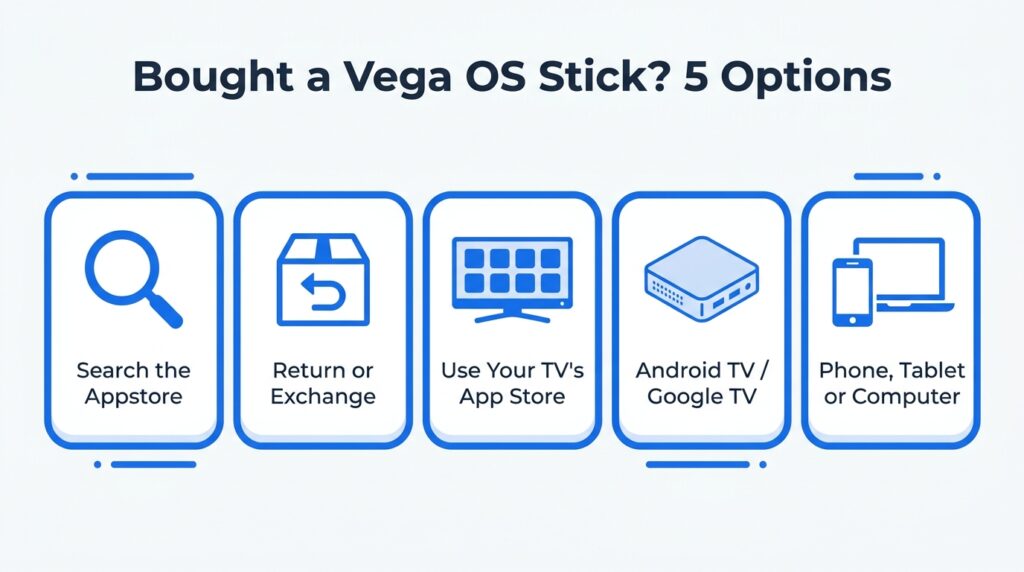
| Option | What to do | Time | Best if |
|---|---|---|---|
| 1. Search the Appstore | On the stick, search “IPTV player” or the name of your player app | 2 min | You’re flexible about which player you use |
| 2. Return or exchange | Check your amazon.ca order for the return window and swap for a Fire OS model | 10 min | You just bought it and want your usual setup |
| 3. Use your smart TV’s app store | Samsung and LG TVs have their own player apps | 5 min | Your TV is from the last few years |
| 4. Android TV or Google TV device | Install a player from Google Play | 10 min | You want the widest choice of player apps |
| 5. Phone, tablet, computer, Apple device or MAG box | Use the device you already have | 5 min | You need a quick fix tonight |
To pick a player, see Best IPTV Player Apps in Canada. If you’re replacing the device, Best IPTV Box in Canada compares the options.
Which streaming device should I buy for IPTV in Canada in 2026?
Pick a device whose app store already carries a player you like, and that can use a wired connection. The operating system matters more than the brand.
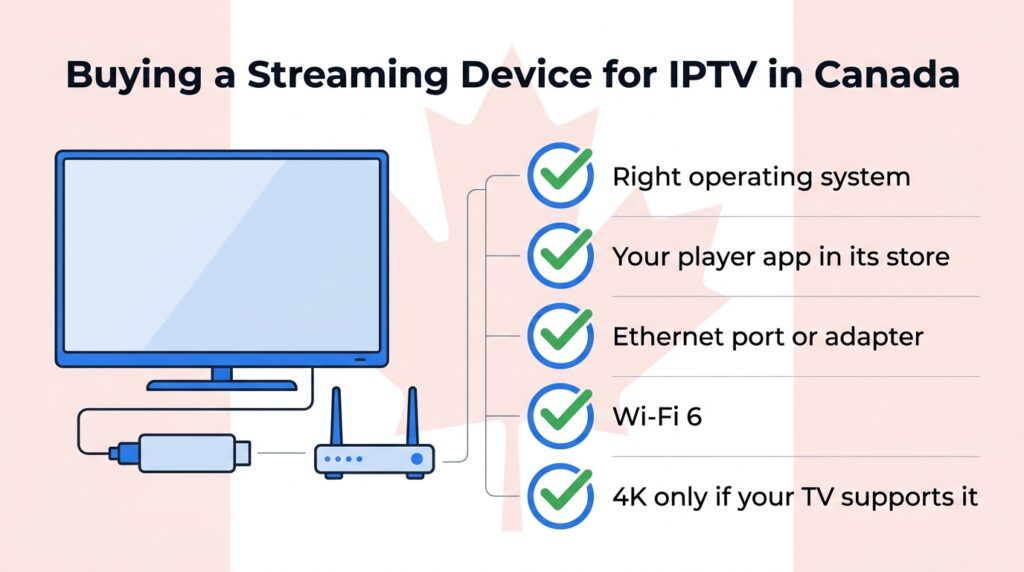
| What to check | Why it matters |
|---|---|
| Operating system (Fire OS, Android TV / Google TV, Tizen, webOS, tvOS, Vega OS) | Decides which player apps you can install |
| Your player app is listed in that device’s store | The only guarantee it will work |
| Ethernet port or adapter | Steadier picture than Wi-Fi for live channels |
| Wi-Fi 6 if you stay wireless | Better on busy home networks; see IPTV internet speed in Canada |
| 4K support only if your TV and connection allow it | A smooth HD picture beats a 4K picture that keeps stopping |
Does Vega OS change anything for my VIPTV Server subscription?
No. Your plan and login stay the same. Only the app you watch in changes. VIPTV Server support can help you choose a device before you buy. [EDITOR: add VIPTV Server’s real support hours and languages.]
Want to test your device first? Start with a VIPTV Server free trial. [EDITOR: add the real trial length and refund terms, or delete this note.]
Frequently asked questions
Is the Fire TV Stick 4K Select good for IPTV?
Only if your IPTV player is available in the Amazon Appstore for that device. The 4K Select runs Vega OS, so it cannot install Android APK players. If your app is missing, a Fire OS or Android TV device is the simpler choice.
Can I install an APK on the Fire TV Stick HD (2026)?
No. The 2026 Fire TV Stick HD runs Vega OS, which cannot run Android APK files and only installs apps from the Amazon Appstore. The older Fire TV Stick HD with Fire OS still can.
Will my old Fire TV Stick stop working with IPTV?
There is no sign that Amazon will remove sideloading from existing Fire OS devices. Keep the stick and your player app updated. Amazon has, however, blocked some known unauthorized IPTV apps on Fire OS devices.
How do I know if a Fire TV Stick on amazon.ca runs Vega OS?
Read the product page. Vega OS models carry a line saying the device prevents sideloading or installing apps from unknown sources. As of November 2026, the Vega models are the Fire TV Stick 4K Select, the Fire TV Stick HD (2026) and the Fire TV Stick 4K (2026).
What is the difference between Fire OS and Vega OS?
Fire OS is Amazon’s Android-based system used on Fire TV devices for over a decade. Vega OS is Amazon’s newer Linux-based system. It is designed to run fast on cheaper hardware but only runs apps built for it and published in the Amazon Appstore.
VIPTV Server is an independent IPTV service provider and is not affiliated with Amazon, Google, Samsung or LG.
Sources
- Amazon Developer: Fire TV (Vega OS statement)
- Amazon Developer: Vega OS Developer Mode
- Amazon Developer: Fire TV Cube specifications
- Amazon.ca: Fire TV Stick HD
- AFTVnews: Amazon announces new 3rd-gen Fire TV Stick 4K running Vega OS (September 30, 2026)
- AFTVnews: Amazon announces Fire TV Stick 4K Select, the first non-Android Fire TV running Vega OS
- AFTVnews: Vega OS apps, APKs and sideloading
- AFTVnews: Will sideloading be disabled on existing Fire OS devices?
- Android Authority: Fire TV Stick HD sideloading warning (April 18, 2026)
- Advanced Television: Amazon launching Fire TV Stick HD (April 16, 2026)
- iPhone in Canada: Amazon launches faster Fire TV Stick 4K in Canada (September 30, 2026)
- Cord Busters: Amazon confirms no sideloading on all new Fire TV Sticks
- Liliputing: Amazon goes all in on Vega OS for Fire TV devices