Short answer: most Canadian households do not need a dedicated IPTV box. A $40 to $70 streaming stick does the same job, gets software updates, and is supported by every major app. The boxes sold specifically as “IPTV boxes” are usually generic Android hardware with a large markup and no update path.
This guide covers what an IPTV box actually is, when buying one makes sense, what to look for if you do, and the cheaper options that work just as well for most people.
What Is an IPTV Box?
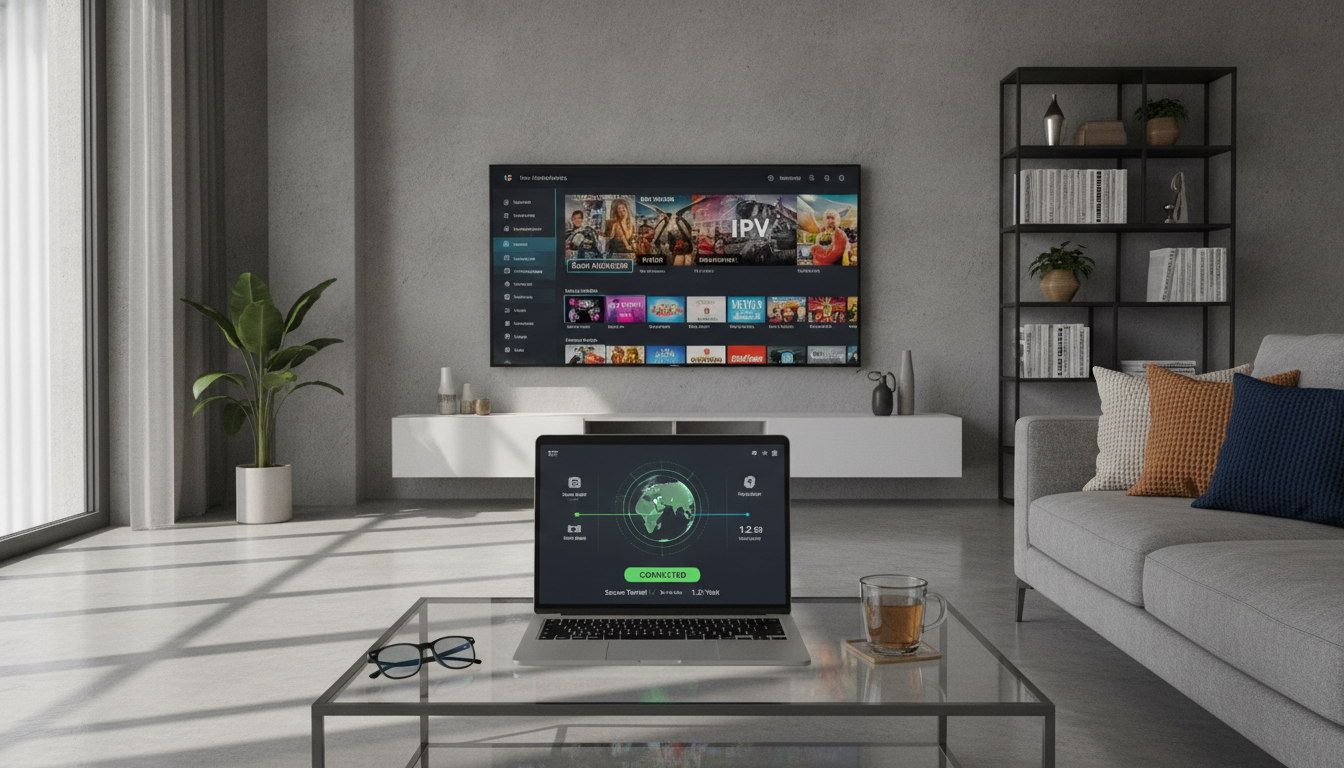
An IPTV box is a small device that connects to your television by HDMI and plays television delivered over your internet connection. It runs a player app, you enter your subscription details, and the box handles decoding the video and putting it on screen.
Almost all of them run Android TV or a modified version of Android. That is the important thing to understand: an “IPTV box” is rarely special hardware. It is an Android device with a player app pre-installed, which is also what a Firestick, an NVIDIA Shield or a Google TV streamer is.
What you are paying for with a branded IPTV box is usually the pre-configuration, not the capability.
Do You Actually Need One?
Work through this before spending anything.
You probably do not need a box if
- Your TV is a 2019 model or newer. Samsung, LG, Hisense and most Android TVs can install a player app directly. Check the TV’s own app store first; the whole purchase may be unnecessary.
- You already own a Firestick, Apple TV, Chromecast or Roku. These install player apps and work well. There is no benefit to adding another device.
- You watch on one television in HD. Entry-level hardware handles this without difficulty.
A box is worth buying if
- Your TV is older than about 2018 or runs a platform with a thin app store
- Your smart TV is slow. Television processors age badly. A $50 stick is usually faster than the computer inside a four-year-old TV.
- You want 4K with proper audio passthrough for a home cinema setup
- You need an Ethernet port. This is the single most underrated feature, and it solves more buffering complaints than any other change.
What to Look For in an IPTV Box
If you are buying, these are the specifications that affect what you see on screen. Most of the rest is marketing.
| Specification | Minimum | Why it matters |
|---|---|---|
| RAM | 2 GB, 4 GB preferred | Below 2 GB the interface stutters and apps reload constantly |
| Storage | 16 GB, 32 GB preferred | 8 GB fills up and the device slows down |
| Ethernet port | Gigabit | A wired connection removes most buffering problems |
| Wi-Fi | Dual-band, Wi-Fi 5 or 6 | 2.4 GHz only will struggle in a busy neighbourhood |
| Video output | 4K at 60fps, HDR | Needed for sport in 4K; irrelevant if you watch HD |
| Codec support | H.265 / HEVC, AV1 if possible | Modern codecs need less bandwidth for the same picture |
| Operating system | Certified Android TV or Google TV | Certified devices get security updates; generic builds do not |
That last row is the one most buyers miss. A device running an uncertified Android build has no Play Store, no update path, and no accountability for what was installed on it before you opened the box.
The Options That Actually Make Sense in Canada
Streaming sticks, roughly $40 to $70
The Amazon Fire TV Stick and Google TV Streamer cover what most households need. They are supported by every major player app, they update themselves, and they are widely available from Canadian retailers with normal return policies. The compromise is Wi-Fi only on most models, which matters if your signal is weak.
Android TV boxes, roughly $70 to $150
Step up to a proper box and you get an Ethernet port, more memory, and better sustained performance. Look for certified Android TV or Google TV rather than a generic build. This is the right bracket for a main television with a wired connection.
Premium boxes, $200 and up
The NVIDIA Shield TV Pro remains the benchmark: strong processor, Ethernet, excellent upscaling, and years of actual software support. It is more than most people need, but it is the one device in this category that genuinely lasts.
The boxes to be careful with
Avoid anything sold as “fully loaded”, “pre-programmed” or “everything included”. Those devices are generic hardware with apps and often credentials pre-installed, sold at several times the hardware cost. You cannot verify what else is on them, they rarely receive updates, and when the service they were configured for disappears, so does the value of the box.
The honest version of this product is a $50 stick plus a subscription you chose yourself.
Box, Stick, or Smart TV: Which Performs Best
| Option | Typical cost | Strengths | Weaknesses |
|---|---|---|---|
| Smart TV app | $0 | Nothing extra to buy, one remote | Slows with age, limited app selection |
| Streaming stick | $40–$70 | Cheap, updated, widely supported | Wi-Fi only, sits behind the TV |
| Android TV box | $70–$150 | Ethernet, more memory, better sustained speed | Another remote and power cable |
| Premium box | $200+ | Fastest, longest software support | Overkill for most households |
If your current setup buffers, try an Ethernet cable before buying anything. Most buffering is a network problem wearing a hardware costume, and a cable costs ten dollars.
Setting Up Whatever You Buy
The process is the same across devices: install a player app, enter your subscription details, let the channel list load. Our IPTV Smarters Pro download and setup guide walks through it for Android, Firestick, iOS, Windows, Mac and Smart TV, and our installation guide covers the other common apps.
Two things worth doing on day one: connect by Ethernet if the device has a port, and check that the video output matches your television rather than leaving it on automatic.
What to Buy, in One Line
If your TV is recent, install the app on the TV and buy nothing. If it is older or slow, buy a $50 streaming stick. If your main television needs a wired connection, buy a certified Android TV box with Ethernet for around $100. Only go past $200 if you have a home cinema setup that justifies it.
You can test any of this before committing: see our plans and pricing.
Frequently Asked Questions
What is the best IPTV box in Canada?
For most households, the best answer is not a dedicated IPTV box at all. A Fire TV Stick or Google TV Streamer at $40 to $70 does the same job with proper software support. If you need Ethernet, a certified Android TV box around $100 is the right choice, and the NVIDIA Shield TV Pro is the premium option.
Do I need a box if I have a smart TV?
Usually not. Samsung, LG, Hisense and Android TVs from roughly 2019 onward can install a player app directly. Add a box only if your TV is older or has become slow.
Are pre-loaded IPTV boxes worth buying?
No. They are generic Android hardware with apps pre-installed, sold at a large markup. You cannot verify what is on them, they rarely get updates, and you lose the ability to choose your own service. Buy a standard streaming device instead.
How much should an IPTV box cost in Canada?
$40 to $70 for a streaming stick, $70 to $150 for a proper Android TV box with Ethernet, $200 and up for premium hardware. Anything priced far above that is selling you configuration, not capability.
Does an IPTV box need Ethernet?
It is not required, but a wired connection is the single most effective fix for buffering, especially for 4K or live sport. If the box has a port, use it.
How much RAM does an IPTV box need?
2 GB is the practical minimum and 4 GB is noticeably better. Below 2 GB the interface stutters and apps reload every time you switch.
Will an IPTV box work with any provider?
Any standard Android device will run the common player apps, which accept Xtream Codes logins or M3U playlist URLs from any provider. Boxes locked to a single service are the exception, and that lock is a reason to avoid them.